Delphi vs Autocom vs WOW: Which Multi-Brand Diagnostic Software Is Best in 2026?
Picking multi-brand diagnostic software is harder than it looks. Delphi, Autocom, and WOW are all widely used by independent workshops because they cover many vehicle makes, work with affordable interfaces, and cost far less than buying a separate OEM tool for every brand. The problem is that they do not fit the same user equally well, especially once you factor in installation time, day-to-day workflow, and how often you need advanced service functions.
If you are still building your diagnostic stack, start with our מדריך למתחילים לתוכנת אבחון OBD2. If you already run a DS150E-style setup, this comparison will help you decide whether Delphi, Autocom, or WOW gives your workshop the best mix of vehicle coverage, usability, and support value in 2026.
Quick Answer
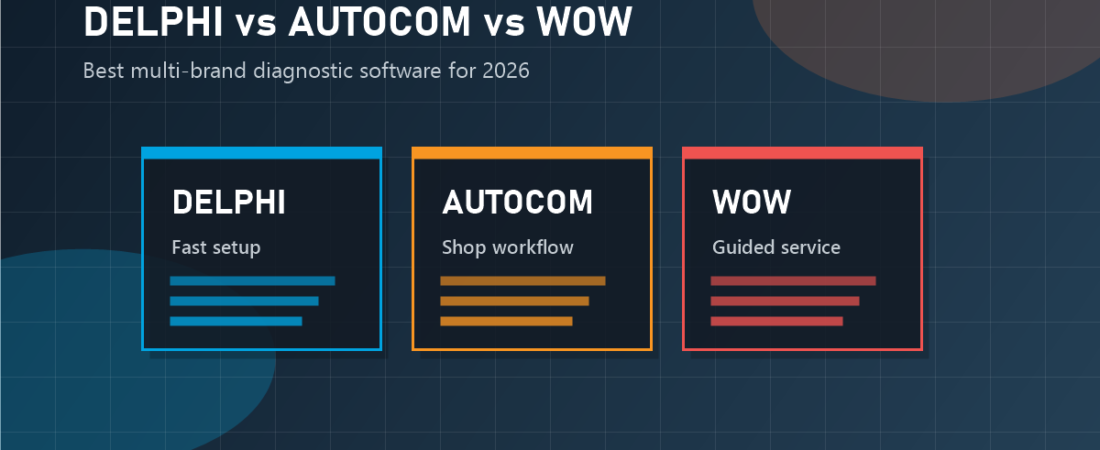
Delphi is the easiest recommendation for most buyers because it offers a familiar interface, broad everyday coverage, and a straightforward installation flow. Autocom feels very similar in practice and is a strong choice for technicians who prefer its layout or already work in Autocom-heavy shops. WOW is worth considering if you like guided diagnostics and service-oriented workflow, but it usually demands more care during installation and update handling.
What All Three Platforms Have in Common
Delphi 2021 and Autocom 2021 follow almost the same install logic in the local OBD-Soft source files: disable real-time protection, install the software, choose the correct hardware type, activate with the included key generator, and add the software folder to Windows Security exclusions. Both guides also highlight the same Type 1 versus Type 2 choice for 2-PCB and 1-PCB interfaces.
WOW fills the same general workshop role, but the local guide shows a more delicate setup path: Java first, a temporary Windows date change, offline activation, and careful handling of update prompts. All three can cover daily multi-brand work, but the ownership experience is clearly different.
Delphi: Best Overall Balance for Most Buyers
Delphi remains the safest all-around pick for small shops and serious DIY users because it balances coverage, setup simplicity, and low ongoing friction. The local Delphi source emphasizes a clean install flow with a clear hardware selection, standard activation process, and direct first-scan steps.
In daily use, Delphi is strong when you need quick access to common jobs such as fault-code reading, live data, oil resets, DPF regeneration, EPB service, and steering-angle related procedures. It does not replace OEM platforms for deep coding or module programming, but it covers the work most general repair businesses do constantly. That is why it pairs well with our מדריך התקנה ל-Delphi 2021 for workshops that want a low-risk starting point.
Autocom: Strong Alternative for Technicians Who Like Its Workflow
Autocom sits extremely close to Delphi in both setup and purpose. Based on the local source material, the software follows the same basic installation logic: disable antivirus temporarily, install the program, select the correct interface type, activate with Delfi Keys, and protect the install folder from later quarantine issues. That makes Autocom easy to support if your team already understands Delphi-style deployment.
Where Autocom often wins is familiarity. Some technicians prefer the way the menus are organized, or they already worked in a shop that standardized on it. That matters because a tool the staff already trusts can reduce training time and speed up vehicle intake.
The tradeoff is that Autocom does not clearly separate itself enough to justify switching if Delphi is already working well in your shop. If you are starting from zero, Delphi usually has the simpler buyer story. If your technicians already know Autocom, staying with that workflow can be the more efficient decision.
WOW: Best for Guided Service Workflow, but More Demanding to Set Up
WOW appeals to workshops that want a more guided, service-oriented experience rather than just a generic scan-tool layout. The local WOW instructions show a setup process that includes Java, offline installation, a temporary system-date change, manual registration, and careful handling of update prompts.
Once working, WOW can be attractive for technicians who prefer structured guidance and a workshop-friendly feel. It is a reasonable option for service shops that want a diagnostic platform integrated into repeatable maintenance and repair routines.
The downside is obvious: when software depends on date-sensitive activation and update avoidance, the margin for setup mistakes is larger. If your team frequently rebuilds laptops, changes PCs, or dislikes troubleshooting Windows environment issues, WOW may create more overhead than Delphi or Autocom because update prompts, driver problems, and missing prerequisites are more likely to interrupt the setup.
Side-by-Side Comparison
| Category | Delphi | Autocom | WOW |
|---|---|---|---|
| Best for | General workshops and beginners | Techs who already know the Autocom workflow | Service shops that want guided diagnostics |
| Setup difficulty | Moderate and predictable | Moderate and very similar to Delphi | Higher due to Java, date change, and update handling |
| Hardware setup | Requires correct Type 1 or Type 2 selection | Requires correct Type 1 or Type 2 selection | Requires VCI driver install after software setup |
| Daily workshop use | Excellent for common resets and scans | Very good for broad multi-brand jobs | Good when guided workflow is valued |
| Main risk | Antivirus removing required files later | Antivirus and unzip/activation issues | Activation/update mistakes during install |
Which One Should You Buy?
Choose Delphi if you want the most balanced option for a mixed workshop, mobile mechanic business, or home garage that services many brands. It is the easiest tool here to recommend to the average buyer.
Choose Autocom if your technicians already use it comfortably or you are replacing an older Autocom setup and want to keep the same workflow with minimal retraining.
Choose WOW if you specifically want a more guided service experience and do not mind a setup process that needs closer attention to prerequisites, activation timing, and update behavior.
If your workshop also handles advanced coding, adaptation, or control-unit programming, the smarter long-term plan is often a hybrid setup: one multi-brand tool for daily throughput and selective OEM software for deeper brand-specific work. That is the same logic we outlined in our 2026 workshop diagnostic software buying guide.
Final Verdict
For most buyers in 2026, Delphi is still the best overall choice because it delivers the simplest mix of broad usefulness, manageable installation, and workshop-ready daily performance. Autocom is close behind and makes sense when technician familiarity is the top priority. WOW is the specialist pick for buyers who value guided workflow enough to accept a more delicate installation process.
If your goal is to get one laptop and one interface working quickly across many vehicles, start with Delphi. If your business already leans toward a specific workflow, let technician efficiency decide.
 English
  German
  Spanish
  Italian
  French
  Hebrew
  Dutch
Dutch  Finnish
  Norwegian
  Swedish
  Polish