
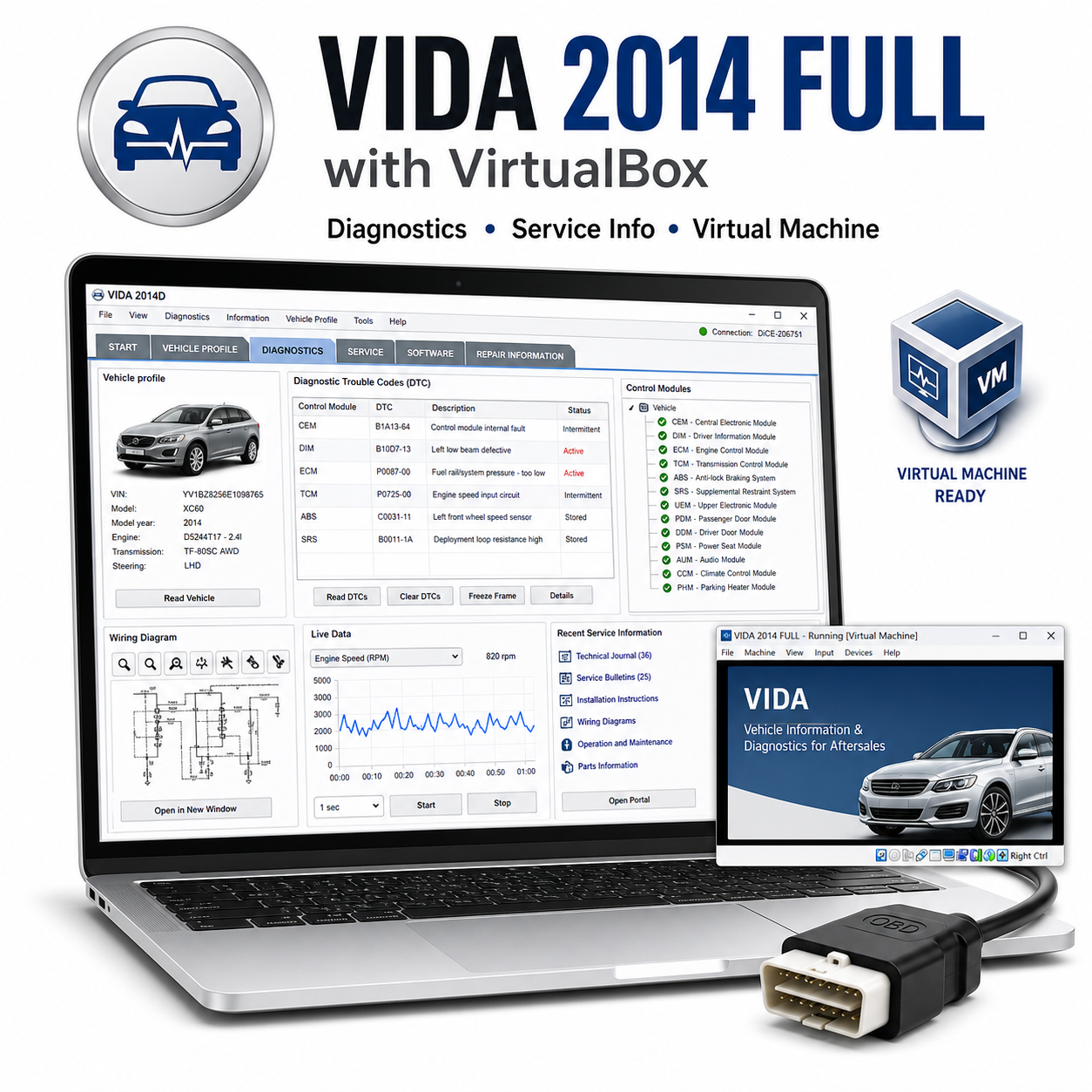
Volvo VIDA 2014 Full with VirtualBox is a prepared Volvo diagnostic and service information package. The VirtualBox setup helps run VIDA in a controlled older Windows environment, which is useful because VIDA 2014 was designed for legacy systems.
Kompatibla fordon och modeller:
– Volvo models up to the VIDA 2014 coverage period, commonly including C30, C70, S40, V40, V50, S60, V60, S70, V70, XC70, S80, XC60, XC90, and related platform variants.
– Best suited for pre-SPA Volvo models using VIDA/DICE diagnostic workflows.
Funktioner som stöds:
– Volvo vehicle identification.
– Read and clear diagnostic trouble codes with compatible DICE hardware.
– Live data and control unit communication where supported.
– Service information, repair instructions, wiring diagrams, parts catalog information, and maintenance procedures where included.
– Guided fault tracing for supported Volvo systems.
Nödvändigt diagnostikverktyg:
Volvo DICE interface or compatible Volvo diagnostic interface. VirtualBox must be installed and virtualization must be enabled in BIOS/UEFI.
Systemkrav:
– Windows host computer capable of running VirtualBox.
– Intel Core i5 recommended.
– 8 GB RAM recommended, with at least 3-4 GB available for the virtual machine.
– 40 GB or more free disk space recommended.
– USB passthrough support for DICE interface.
Språk:
VIDA packages commonly include English and several European languages depending on the installed database.
Leverans och support:
– Du får länken för nedladdning av programvaran direkt efter köpet.
– En detaljerad installationsanvisning medföljer.
– Installationshjälp ingår med varje verktyg.
Installationsanvisning:
This package uses older automotive diagnostic components and drivers. If Windows security blocks a legacy driver or installer, check the included guide and re-enable protection after setup is complete.
Ansvarsfriskrivning:
Ett kompatibelt diagnostikgränssnitt krävs och ingår inte om inte detta uttryckligen anges separat. Täckning av fordonsmodeller, funktioner, kodningsalternativ, serviceprocedurer och tillgång till realtidsdata beror på den exakta fordonsmodellen, tillverkningsåret, ECU-typen, marknaden, gränssnittets kvalitet, drivrutinskompatibilitet och Windows-konfigurationen. Använd alltid diagnostik- och programmeringsfunktionerna med försiktighet och se till att en stabil batteriströmförsörjning är ansluten när du utför servicerutiner, kodning, anpassning eller uppdateringar.




 English
  German
  Spanish
  Italian
  French
  Hebrew
  Dutch
Dutch  Finnish
  Norwegian
  Swedish
  Polish
inget problem, rekommenderas
Säljaren hjälpte till med fjärrinstallationen
fantastiskt
nedladdningen gick väldigt långsamt
programmet startade utan problem