
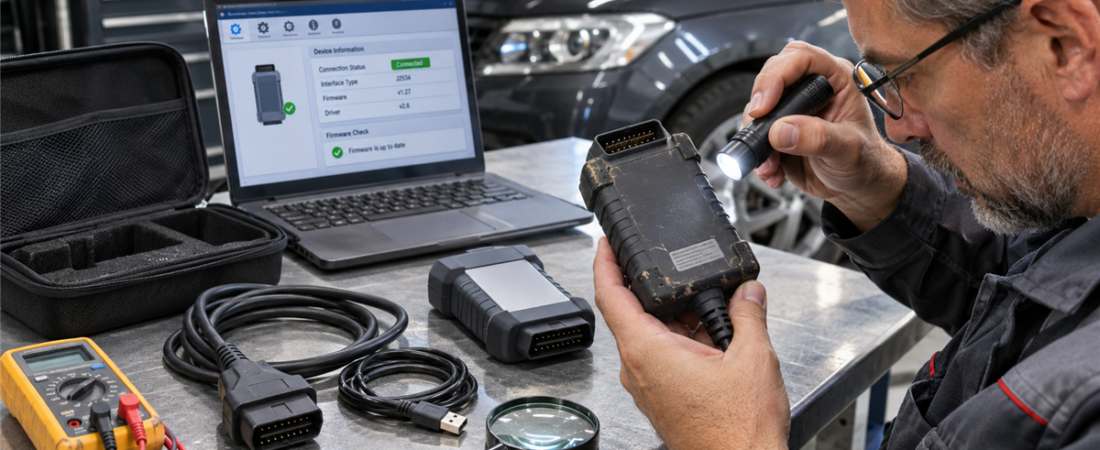
Used Diagnostic Interfaces: What to Check Before Buying Secondhand Hardware
Used diagnostic interfaces can lower the cost of adding OEM or multi-brand capability, but a cheap device can become expensive if it is counterfeit, unsupported, account-locked, physically damaged, or unreliable during programming. The safest purchase is one whose identity, condition, compatibility, and ownership can be verified before money changes hands.
Do not judge a vehicle communication interface (VCI) only by its enclosure or OBD2 plug. The hardware revision, serial number, firmware, drivers, supported protocols, software licensing, and manufacturer support status determine what it can actually do.
Define the Job Before Shopping
Write down the brands, model years, functions, and software you intend to use. Reading codes and live data, running OEM diagnostics, accessing CAN FD or DoIP vehicles, and performing J2534 programming can require different hardware. A pass-thru device that works for reprogramming is not automatically a full factory scan tool.
Toyota’s official guidance illustrates the distinction: validated J2534 interfaces can support reprogramming, but only specific devices are recommended for Techstream diagnostic functions. Ford lists FDRS and FJDS compatibility with J2534 VCIs while older IDS coverage requires Ford hardware. Check the current OEM portal rather than trusting a marketplace compatibility list.
The Vergleich zwischen J2534, OEM VCI und ELM327 can help identify the correct interface class before you evaluate a particular used unit.
Verify the Exact Identity
Ask for clear photographs of the front, rear, connectors, serial label, regulatory markings, cables, power supply, and original case. Match the model name, part number, hardware revision, and included accessories against the manufacturer’s documentation. A similar-looking enclosure may contain a different circuit board or support different protocols.
Request the serial number privately and contact the manufacturer or authorized distributor to ask whether it is genuine, still supported, reported stolen, subject to a campaign, or eligible for repair and firmware updates. Do not publish a full serial number in a public listing or forum.
Ask for the original invoice and a written statement that the seller owns the device. If it came from a closed shop, fleet, auction, or employer, confirm that the person selling it has authority to transfer it. Missing paperwork is not proof of theft, but it increases the verification burden.
Watch for Counterfeit or Altered Hardware
Counterfeit interfaces may copy the case, label, USB identifier, and packaging of a legitimate product. Warning signs include a price far below the normal used market, spelling errors, inconsistent fonts, poor molding, missing regulatory information, mismatched serial labels, unusual screws or seals, and a seller who refuses verification.
Counterfeit risk is not merely cosmetic. ACDelco TDS states that using counterfeit clone GM MDI devices will result in account blocking. Unverified components may also have weak electrical protection, unstable voltage regulation, incomplete protocol support, or firmware that cannot be updated safely.
Do not install unknown drivers or utilities supplied on an unmarked USB drive. Download software from the current manufacturer or OEM source and scan it before installation.
Confirm Support, Drivers, and Firmware
Find the exact model on the manufacturer’s support page. Confirm that current drivers support your Windows version, the firmware updater recognizes that hardware revision, and replacement cables or repair service remain available. Opus IVS, for example, lists current downloads while clearly marking the original CarDAQ-2534 as no longer supported.
A discontinued device may still work for a narrow task, but price it as unsupported equipment. Consider the cost of maintaining an older laptop, frozen driver version, or virtual machine, plus the risk that an OEM application update ends compatibility.
Ask the seller for screenshots from the official configuration utility showing model, firmware, serial, and self-test result. Screenshots can be faked, so verify them yourself during the return period.
Do Not Assume Software or Accounts Transfer
Hardware ownership rarely includes an OEM software subscription, security credential, cloud account, diagnostic database, or transferable license. Ford explains that its software license can bind to a PC and must be returned or transferred through the licensing system. Other vendors may bind access to a person, business, serial number, or interface.
Price the hardware and software separately. Include subscriptions, per-VIN programming, security registration, adapters, battery support, and a suitable laptop. The guide to diagnostic software subscription costs provides a total-cost model.
Inspect Physical Condition
Examine the VCI before connecting it to a vehicle:
- Check the DLC pins for bending, spreading, corrosion, burning, or pushed-back terminals.
- Flex cables gently near each strain relief and look for cuts, crushing, stiffness, or repairs.
- Inspect USB, Ethernet, power, and auxiliary ports for looseness or damaged contacts.
- Look for cracked housings, missing screws, liquid residue, impact marks, heat discoloration, or rattling parts.
- Confirm that every adapter, power supply, wireless dongle, and proprietary cable is present.
- Smell for burned electronics and inspect the case without breaking seals or defeating safety isolation.
A worn cosmetic shell can be acceptable; an intermittent cable or loose connector is not. Replacement proprietary cables can erase the saving from buying used.
Perform a Controlled Functional Test
Use a clean diagnostic laptop and official drivers. First connect the interface to the computer without a vehicle. Confirm correct identification in the vendor utility, run its self-test, and record the installed driver, API, and firmware versions. Do not rush into a firmware update until authenticity and update eligibility are confirmed.
Next, connect to a known-good vehicle with stable battery voltage. Verify VIN detection, a full module scan, live data, and communication through every protocol the device is advertised to support. Move the cable gently while monitoring communication, test wired and wireless modes where applicable, and confirm clean disconnection and reconnection.
Do not make programming the first test of uncertain hardware. A dropout during flashing can damage a controller. Before any write operation, follow the J2534 pass-thru programming checklist with validated hardware, correct drivers, battery support, OEM access, and a recovery plan.
Protect the Purchase
Buy through a payment method with buyer protection and obtain a written return period long enough to verify drivers, firmware, vehicle communication, and manufacturer status. Make the listing part of the receipt, including serial, accessories, claimed functions, and condition. Avoid cash-only shipping transactions with no inspection or recourse.
Walk away if the serial cannot be verified, the device requires modified drivers, the seller promises shared credentials, the hardware is already unsupported for your software, or testing is refused. A legitimate used interface should save money without requiring you to ignore identity, licensing, or communication risk.
 English
 German
 Spanish
 Italian
 French
 Hebrew
 Dutch
 Finnish
 Norwegian
 Swedish
 Polish