

🔴 Importante: Do not forget to re-enable your antivirus after installation to keep your system secure.
Windows 8 / 8.1
Temporarily Disable Windows Defender:
- Apri il Control Panel.
- Vai a System and Security > Action Center.
- Clicca Windows Defender.
- In Windows Defender, go to the Settings tab.
- Uncheck Turn on real-time protection (recommended).
- Clicca Save changes.
Windows 10
Temporarily Disable Windows Defender:
- Apri il Start Menu and type Sicurezza di Windows. Open the app.
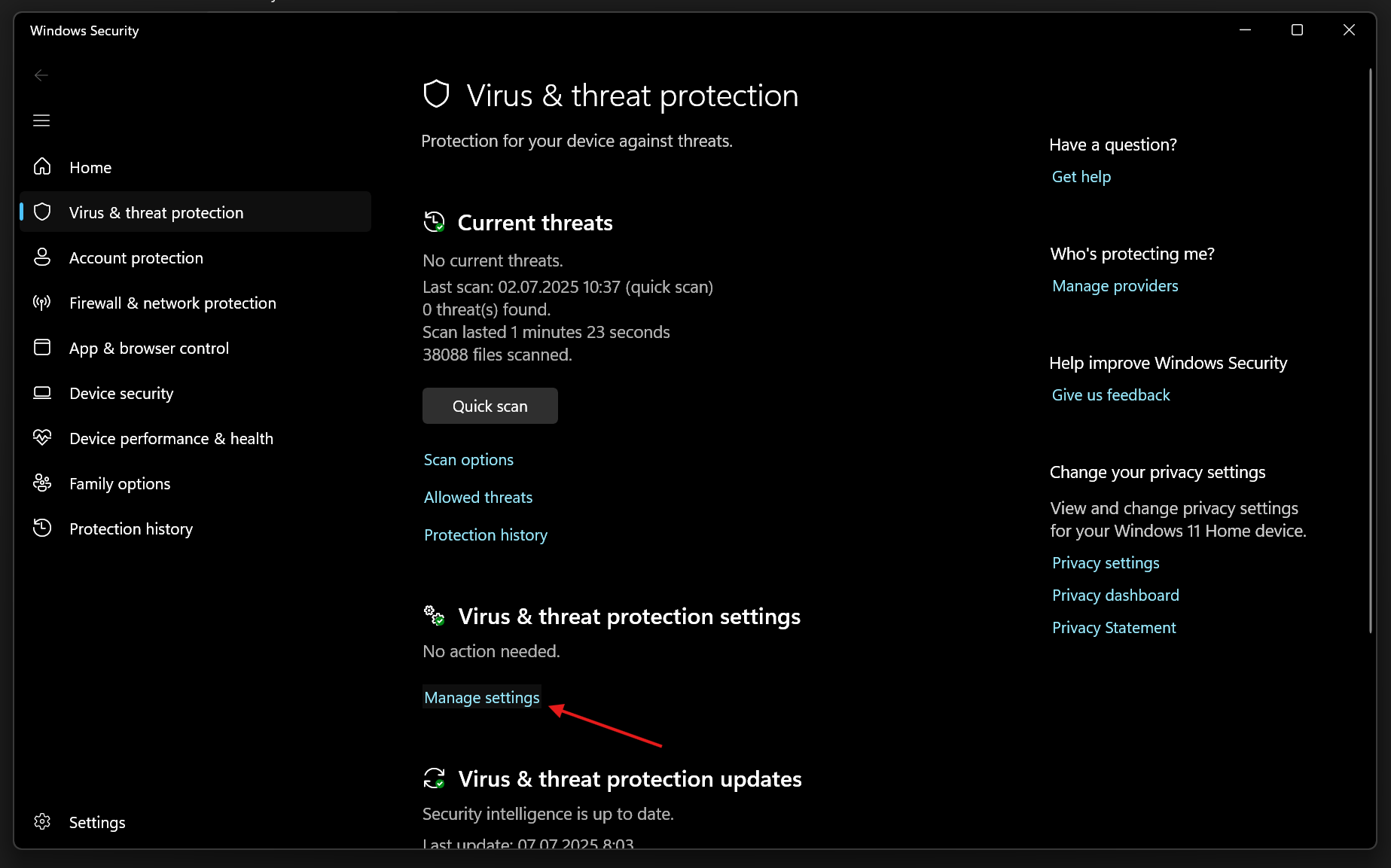
- Clicca Protezione da virus e minacce.
- Under Virus & threat protection settings, clicca su Gestisci le impostazioni.
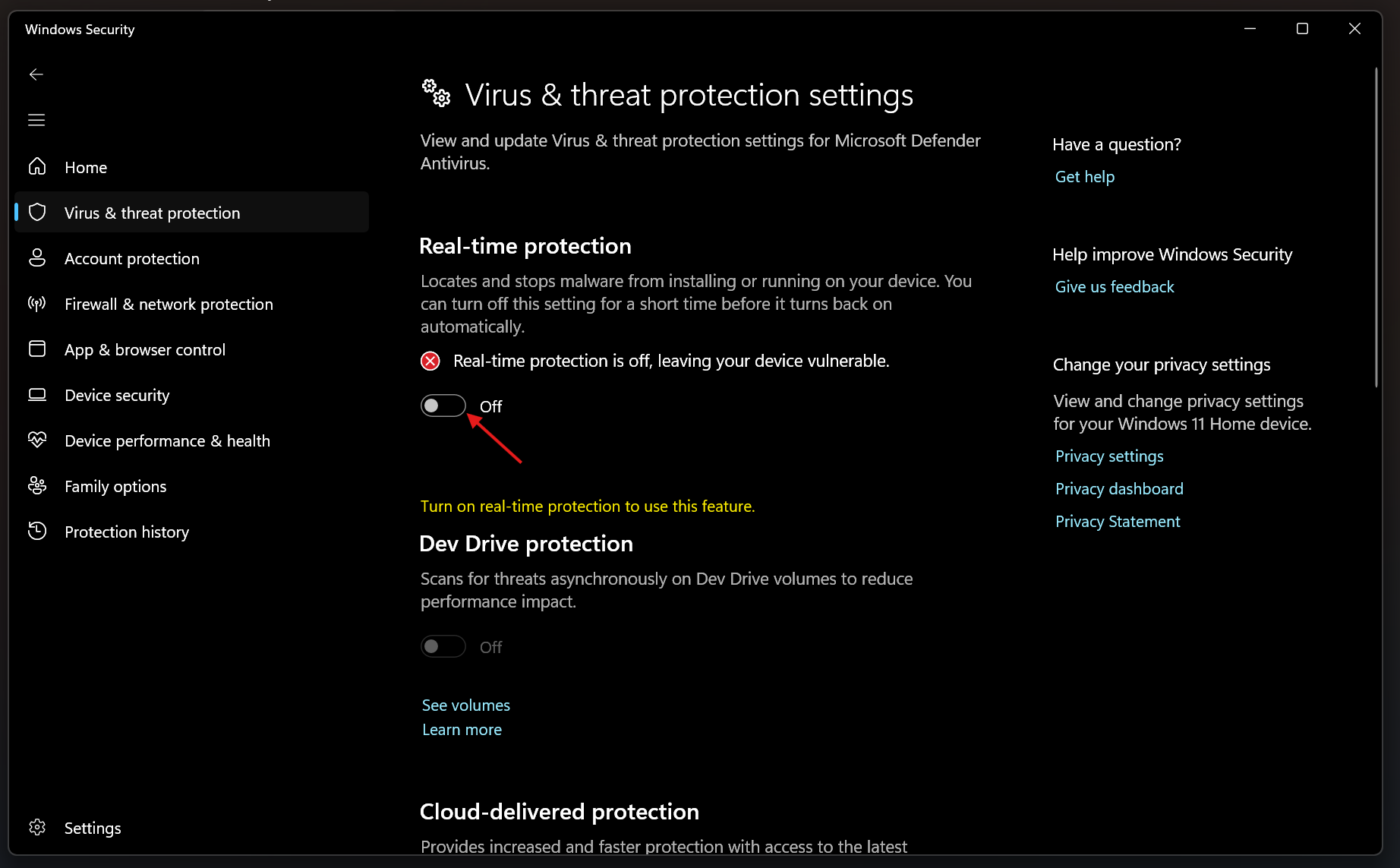
- Spegnere Protezione in tempo reale.
Windows 11
Temporarily Disable Windows Defender:
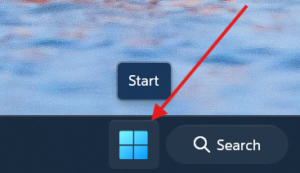
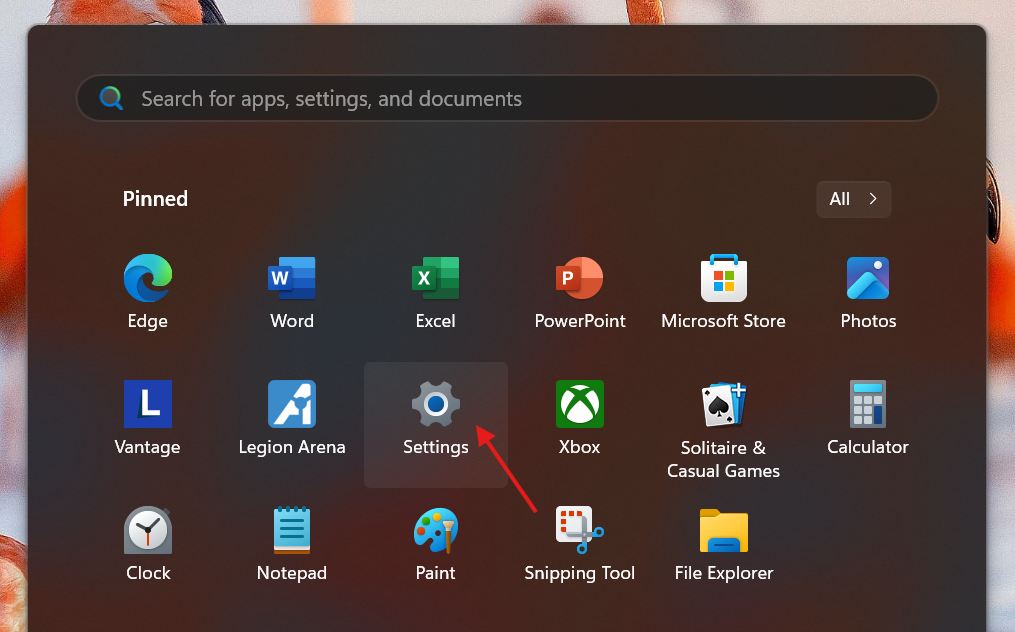
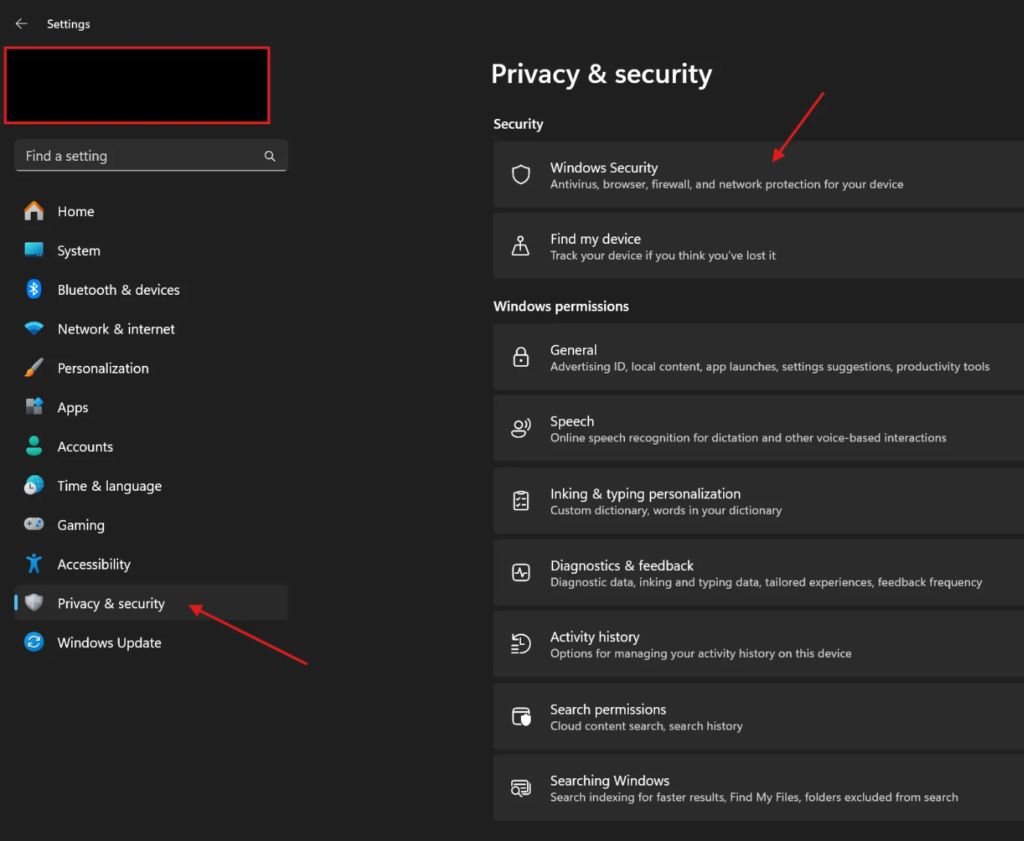
- Apri il Start Menu > Settings > Privacy & security > Sicurezza di Windows
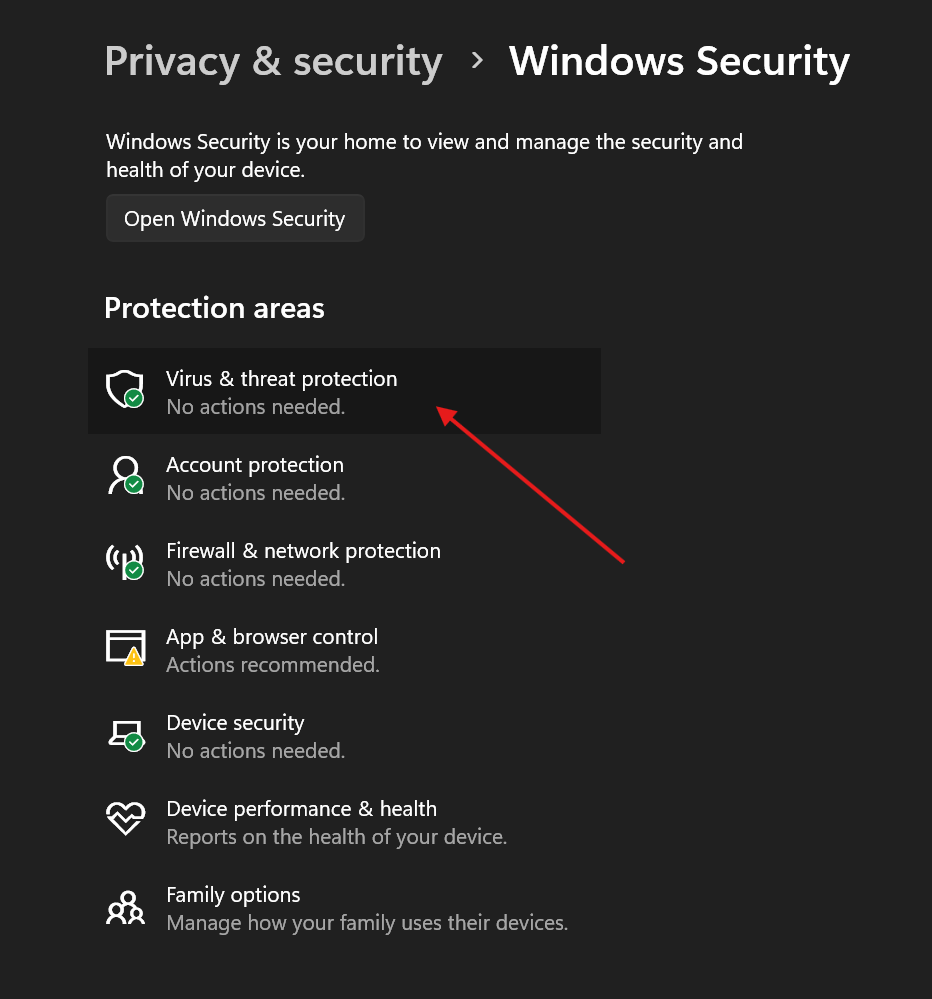
- Clicca Protezione da virus e minacce.
- Under Virus & threat protection settings, clicca su Gestisci le impostazioni.
- Spegnere Protezione in tempo reale.
 English
  German
  Spanish
  Italian
  French
  Hebrew
  Dutch
Dutch  Finnish
  Norwegian
  Swedish
  Polish